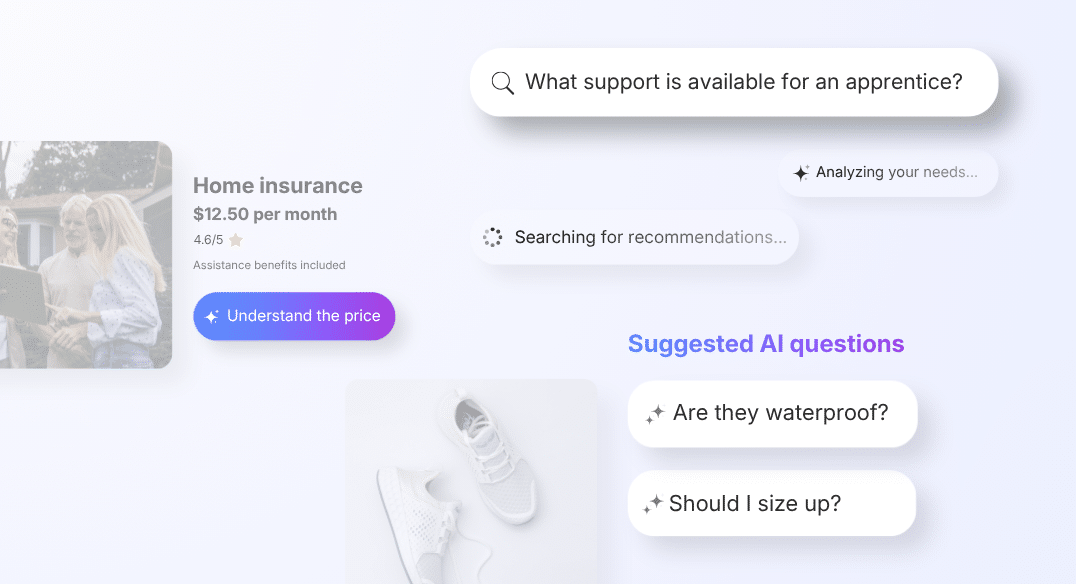
Search is one of the most used touchpoints on a website, and one of the most poorly leveraged. A visitor types in their need, gets a list of unqualified results, and leaves without having found what they were looking for. The Finder feature is tolk.ai’s answer to this structural problem: two widget formats in a single conversational intelligence, to turn every purchase intent into a recommendation.
The real problem: keyword search does not understand the need
A search engine built to understand
First, the classic search engine was designed to index and sort, not to understand. When a visitor types “wide size 42 shoes” or “women’s hiking shoes”, they are not expecting a list of pages. They are looking for an answer, a recommendation or advice suited to their situation.
Yet the search engine returns exactly what it was designed for: results. They are often too numerous, rarely relevant and never contextualized. As a result, the visitor has to sort, compare and navigate. So many efforts that, once accumulated, generate frustration.
Baymard Institute estimates that 34% of e-commerce search sessions end in abandonment. Moreover, this is not a matter of an insufficient catalog or a poorly positioned search bar. It is a structural limitation: the tool does not understand what the visitor needs.
The AI widget as a partial solution
Clearly, the classic conversational widget, placed at the bottom right of the interface, does not fully solve this problem. It waits to be prompted, requires a click to open, a welcome screen, an onboarding and so on. So many micro-frictions that discourage the least convinced visitors, precisely those who would most need reassurance. The Finder feature starts from the opposite premise. If the visitor is already using search or browsing the site without finding what they are looking for, that is where you need to step in.
Google Search: web search shifts into the conversational era
How does AI change web search?
Google’s search model had not fundamentally changed in 25 years. Today, you type in keywords, you get sponsored or organic links, you click. This model worked for so long that it became invisible, almost like a universal reflex rather than an interface choice.
At the Google I/O 2026 conference, Google announced a deep overhaul of this paradigm. From now on, AI overviews in the SERP synthesize a direct answer at the top of the page, even before the list of results. The user therefore no longer has to choose among several links to find the information, they get it, contextualized, in a single place.
This example highlights an already measurable behavioral shift. Indeed, one year after its launch in the United States, the AI Mode has one billion monthly active users.
What impact does this have on visitors to your e-commerce site?
Thus, a user accustomed to receiving a direct answer on Google arrives on your site with the same expectations. As a result, they no longer try to navigate through your categories or sort through their search results. They want to express their wish and get an immediate answer. The gap between this expectation and a classic search bar creates a new friction that translates directly into abandonment.
This is what the Finder feature addresses. Where classic keyword search returns a list to sort through, this new Genii format returns an answer. The difference is not cosmetic: it improves the very nature of the interaction between the visitor and the site. What Google is doing at the scale of the web, tolk.ai applies at the scale of your website.
Ultimately, this convergence is no accident. If the most used search engine in the world deems it necessary to move from a results logic to an answers logic, it is because user behavior has evolved in that direction. Indeed, the visitors to your site are no exception.
Finder fixed: the conversational entry point
How it works
The Finder fixed format integrates directly into the site’s existing search bar. When the visitor types an intent in natural language, Genii responds immediately: without opening the widget, without displaying a results page, without going through onboarding. The visitor’s message becomes the trigger of a conversation.
Concretely, the experience changes radically. Where the search bar returns a list, Finder now returns a recommendation. This recommendation is tailored to the visitor’s profile, need and criteria. Moreover, the interface and the entry point do not change: it is the intelligence behind it that is different.
This is precisely where the value of Finder fixed lies. It requires no effort from the visitor. It leverages an already established reflex, that of searching in the bar, to replace it with a radically more qualitative experience, without any extra friction. Ultimately, it is as if you were reenchanting the shopping experience on your website by adding personalization at scale.
For marketing and digital teams, Finder fixed offers another often underestimated advantage: it is an immediate demonstrator of the value of AI. A prospect who uses the search bar of a site equipped with Finder fixed instantly sees the difference with a site equipped with a classic engine. The competitive value speaks for itself.
Finder is aimed primarily at e-commerce sites where search is a central touchpoint. In this context, replacing the list of results with a direct answer is not a simple improvement: it is a paradigm shift.
Interactive preview







Click the search bar to simulate Finder fixed
Finder floating: search that is accessible and fast
How it works
Furthermore, the Finder floating format works on the same logic but is positioned differently. It is simply a smart, persistent search bar at the bottom of the page. Unlike the classic widget that requires a click to open, Finder floating is permanently visible and accessible, from any page of the site. The visitor asks their question directly, without onboarding, without changing pages, without waiting.
Its positioning fits a familiar UX standard, with the added conversational intelligence powered by AI. This format is aimed at e-commerce sites that want to make advice continuously accessible while contrasting with the classic widget format.
In short, Finder floating also fulfills a reassurance function. Even visitors who do not click see the virtual assistance on every page. Indeed, its presence sends a signal of availability, without interrupting the journey. This is a balance that is difficult to strike in interface design: being present without being intrusive.
Finder is activated from the Genii platform, with per-page targeting and CSS customization options. For teams that already manage Genii day to day, adoption requires no external technical intervention.
Interactive preview
Click the bar to simulate Finder floating
E-commerce: contextualize search with AI
In conclusion, the difference between a search engine and Finder comes down to one word: context. An engine indexes pages whereas Genii understands purchase intent. Indeed, it takes into account the visitor’s journey, the page from which they ask their question, and the recurrence of certain other requests. Also, instead of listing results, it recommends a product, answers a need and drives conversion.
In practice, this means that two visitors with the same purchase intent can receive different answers depending on their context.
Every purchase intent is a validated cart thanks to augmented search
The two versions of Finder share the same logic: not waiting for the visitor to go looking for advice. The aim is to offer them conversational intelligence right where they already are, within their natural journey, without friction.
Finder fixed is aimed at sites where the search bar is a central entry point. Furthermore, Finder floating complements or replaces the classic floating widget for contexts where permanent visibility is a priority, and where the bar format is better suited to the visual identity or to mobile navigation.
In both cases, the value proposition is identical: turn every search into a recommendation, and every purchase intent into a validated cart. This is not to replace classic search where it works, but to go beyond it where it fails and create an augmented search.
Finally, keyword search solved a real problem, that of access to information. Finder solves the next one: that of understanding the need.
Useful resources
Learn more about Genii’s proactive AI feature Sparks.